Yesterday, Anthropic shipped CLAUDE_CODE_NO_FLICKER=1 in version 2.1.88. One environment variable. Set it and the flickering is gone.
Here's how to enable it, what it actually does under the hood, and why it took over a year to get here.
Enable it now
Per session:
CLAUDE_CODE_NO_FLICKER=1 claudePermanently (add to your shell profile):
# ~/.zshrc or ~/.bashrc
export CLAUDE_CODE_NO_FLICKER=1
That's it. Restart Claude Code and the flickering is gone.
The scale of the problem
This wasn't a minor annoyance. The GitHub issue tracker tells the story:
- Issue #1913 — 314 upvotes, terminal flickering across all platforms
- Issue #769 — 291 upvotes, 298 comments. Closed by Anthropic in May 2025 as "completed," then received 33 downvotes because the problem persisted
- Issue #3648 — 282 upvotes, terminal scrolling uncontrollably
- Issues #10794, #9158, #10619, #16614, #18708 — dozens more duplicates
Combined: over 1,000 upvotes across related issues. One user measured 4,000 to 6,700 scroll events per second. VS Code and Cursor would freeze or crash completely after 10-20 minutes. Users with photosensitive conditions flagged it as an accessibility violation.
Here's what the flickering looked like in practice (GIF from Peter Steinberger's excellent analysis of terminal rendering across AI coding tools):
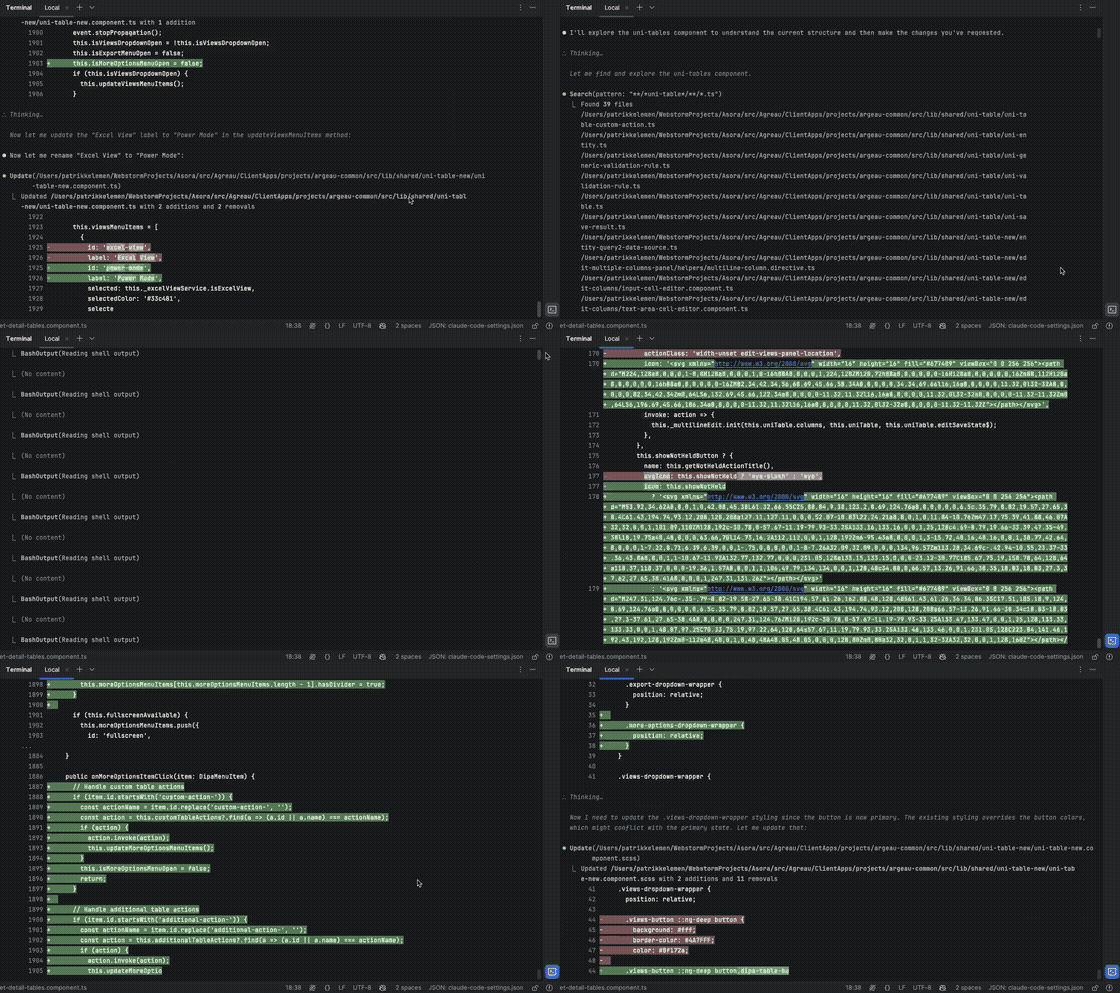
Credit: Peter Steinberger — "The Signature Flicker"
The original issue #769 and issue #1913 also have video recordings attached if you want to see more examples.
The community was frustrated enough to build their own fix: claude-chill, a Rust-based terminal proxy by David Beesley that intercepts Claude Code's output and only passes through actual changes. It got significant traction on Hacker News, with commenters noting the irony of a company building AI that can write code being unable to fix a terminal rendering bug.
Why was this so hard to fix?
Claude Code isn't a typical CLI. It's a full interactive TUI built with React and a custom terminal renderer. As Chris Lloyd, Anthropic's TUI rendering engineer, described it — it's closer to a small game engine than a standard terminal app.
The rendering pipeline works like this:
- React scene graph — UI components are React components
- Layout calculation — custom layout engine
- Rasterization — converts to a 2D grid of terminal cells
- Diffing — compares against the previous frame
- ANSI sequence generation — emits minimal escape codes to update the terminal
All within a ~16ms frame budget. The problem is that terminals have no concept of atomic frame updates. Every escape sequence is processed immediately, so if you're updating the cursor position, streaming text, updating a spinner, and rendering the input box all at once — the terminal shows each intermediate state as a flash.
A year of incremental fixes
Anthropic didn't ignore the problem. They shipped fix after fix, each one getting closer:
- v2.0.10 (Oct 2025) — Major renderer rewrite. Replaced the Ink library with a custom renderer. Marketed as "buttery smooth UI." It helped, but didn't solve it.
- v2.0.72 (Dec 2025) — Differential renderer. Instead of redrawing everything, it diffs each cell and emits only what changed. Reduced flicker to about 1/3 of sessions.
- Jan 2026 — Rolled differential renderer to all users. Used packed TypedArrays to reduce garbage collection pauses.
- v2.1.19-v2.1.83 (Feb-Mar 2026) — Series of targeted fixes: spinner layout jitter, slash command flickering, blank screen after idle, input disappearing after submission.
- v2.1.88 (Mar 30, 2026) —
CLAUDE_CODE_NO_FLICKER=1. The nuclear option: switch to alt-screen rendering entirely.
They also pushed patches upstream to VS Code's terminal and tmux to support synchronized output (DEC mode 2026), which allows atomic frame updates in terminals that support it.
What fullscreen mode actually does
When you set CLAUDE_CODE_NO_FLICKER=1, Claude Code switches to the alternate screen buffer — the same mechanism used by vim, htop, and less. This is fundamentally different from the default main-screen rendering:
- Input stays fixed at the bottom — no more jumping around as output streams in
- Virtualized scrollback — only visible messages stay in the render tree, so memory stays constant regardless of conversation length
- Mouse support — click to position cursor, click to expand/collapse tool output, click URLs, mouse wheel scrolling
- Keyboard navigation — PgUp/PgDn, Ctrl+Home/Ctrl+End
- Transcript mode —
Ctrl+ogives you less-style navigation with/search
The trade-offs
There's a reason Anthropic didn't ship this as the default. Alt-screen mode trades away some native terminal features:
- Cmd+F doesn't work — you need to use
Ctrl+othen/to search - Native scrollback is gone — scrolling is handled inside Claude Code
- Native text selection — replaced by in-app selection
- Cmd-click for URLs — replaced by regular click
- tmux integration mode — incompatible with iTerm2's
tmux -CC
If the trade-offs bother you, there are related environment variables to fine-tune behavior:
# Keep flicker-free rendering but disable mouse capture
# (useful over SSH or in tmux where you want native text selection)
export CLAUDE_CODE_DISABLE_MOUSE=1

# Only disable click events, keep scroll wheel
export CLAUDE_CODE_DISABLE_MOUSE_CLICKS=1

# Adjust scroll speed (1-20, default is 1)
export CLAUDE_CODE_SCROLL_SPEED=3
My take
I use Claude Code daily in two ways: inside Cursor's integrated terminal and as a standalone CLI in a plain terminal. Both suffered from the flickering. Cursor sessions would slow to a crawl after 15-20 minutes, and in the plain terminal the scroll jumping made it hard to follow what Claude was doing.
CLAUDE_CODE_NO_FLICKER=1 fixes it completely in both setups. The trade-off of losing native Cmd+F is worth it. The transcript mode (Ctrl+o) is actually better for searching conversation history than Cmd+F ever was, because it searches through the conversation rather than the raw terminal buffer.
What's interesting from an engineering perspective is the journey. A year of incremental fixes — custom renderers, differential rendering, upstream terminal patches — and the solution that works best is the simplest one: just use the alt-screen buffer like every other TUI does. Sometimes the obvious approach really is the right one.
The best fix isn't always the most elegant. Sometimes it's the one that actually works for every user, in every terminal, on every platform.
It's currently a "research preview" — Anthropic says behavior may change based on feedback. My advice: turn it on now and give them feedback so they can make this the default.
TL;DR: Add export CLAUDE_CODE_NO_FLICKER=1 to your shell profile. Restart Claude Code. Enjoy a flicker-free terminal. Thank the community's 1,000+ upvotes that got us here.